MERN Roadmap 2026
MERN tutorials rarely agree on where to start, and most beginners burn weeks starting with React before they understand what it's talking to. This roadmap lays out the order things actually depend on — Node, then Express, then MongoDB, then React — with checkpoints for knowing when you're ready to move to the next one, plus a pace calculator to set realistic expectations for how long it'll actually take.
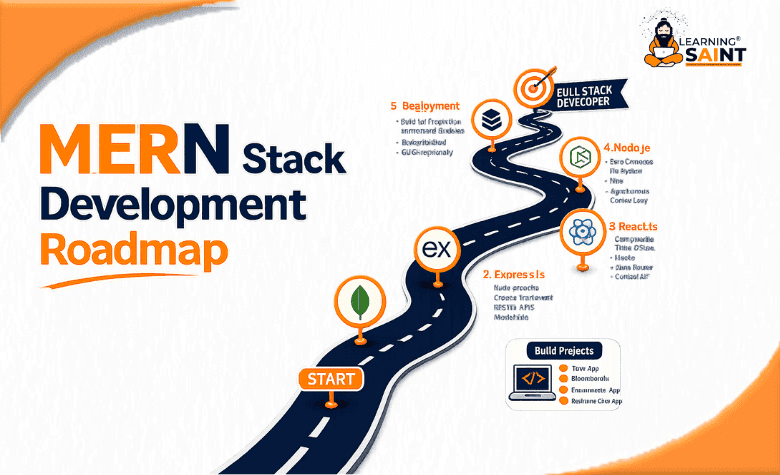
The MERN trail: a beginner's route through Mongo, Express, React & Node.
Four pieces of stack, one realistic order to learn them in, and the checkpoints that tell you you're ready to move on. No detours, no skipped switchbacks.
Your route
tap a checkpoint01Why this order, and not another one
MERN gets taught a hundred different ways, but most beginners burn weeks because they start with the flashy part — React — before they understand what it's talking to. This roadmap goes in the order things actually depend on each other: Node → Express → MongoDB → React, then tying them together.
That's the opposite of "front-end first," and it's deliberate: a backend you understand makes React's data-fetching make sense instead of feeling like magic.
02The four checkpoints, in plain terms
Tap any card for what it actually is and what "good enough to move on" looks like.
Node.js
Lets JavaScript run on a server instead of just in a browser tab. You're ready to move on once you can write a script that reads a file, handles an error, and runs from the terminal without you Googling the syntax.
Express
A thin layer on top of Node that gives you routes — "when someone visits /users, run this code." Ready to move on once you've built a few routes that return JSON and handle a bad request gracefully.
MongoDB
A database that stores data as flexible JSON-like documents instead of rigid tables — a natural fit for JavaScript. Ready to move on once you can create, read, update, and delete records from your own Express routes.
React
The library that builds what users actually see, broken into reusable components. Ready to move on once you've fetched data from your own API and rendered it as a list without the page needing a full reload.
03What the pieces look like wired together
This is the moment it stops feeling like four separate subjects: a minimal Express route that reads from MongoDB and sends JSON back, which React then fetches and renders.
// the smallest version of "Express talks to Mongo"
const express = require('express');
const app = express();

app.get('/api/trails', async (req, res) => {
  const trails = await Trail.find();
  res.json(trails);
});

app.listen(3000);
And the React side, fetching that same route on load:
function TrailList() {
  const [trails, setTrails] = useState([]);

  useEffect(() => {
    fetch('/api/trails')
      .then(res => res.json())
      .then(setTrails);
  }, []);

  return trails.map(t => <li key={t.id}>{t.name}</li>);
}
04How long this actually takes
"Learn MERN" estimates online are mostly fiction because they ignore how many hours a week someone really has. Set yours honestly below.
05Mistakes worth skipping
Starting with React, not Node ›
fetch() call feels like magic you can't debug. Building the API you're fetching from — even a tiny one — makes the front end click into place.Skipping plain Node for a framework right away ›
Treating MongoDB like a SQL database ›
Building five small projects instead of finishing one ›
06Quick check
Two questions to confirm the route makes sense.